JPEG-XL Support Added to Firefox 152
Experimental Feature: Can be enabled via Firefox Labs

Before we begin, I recommend reading:
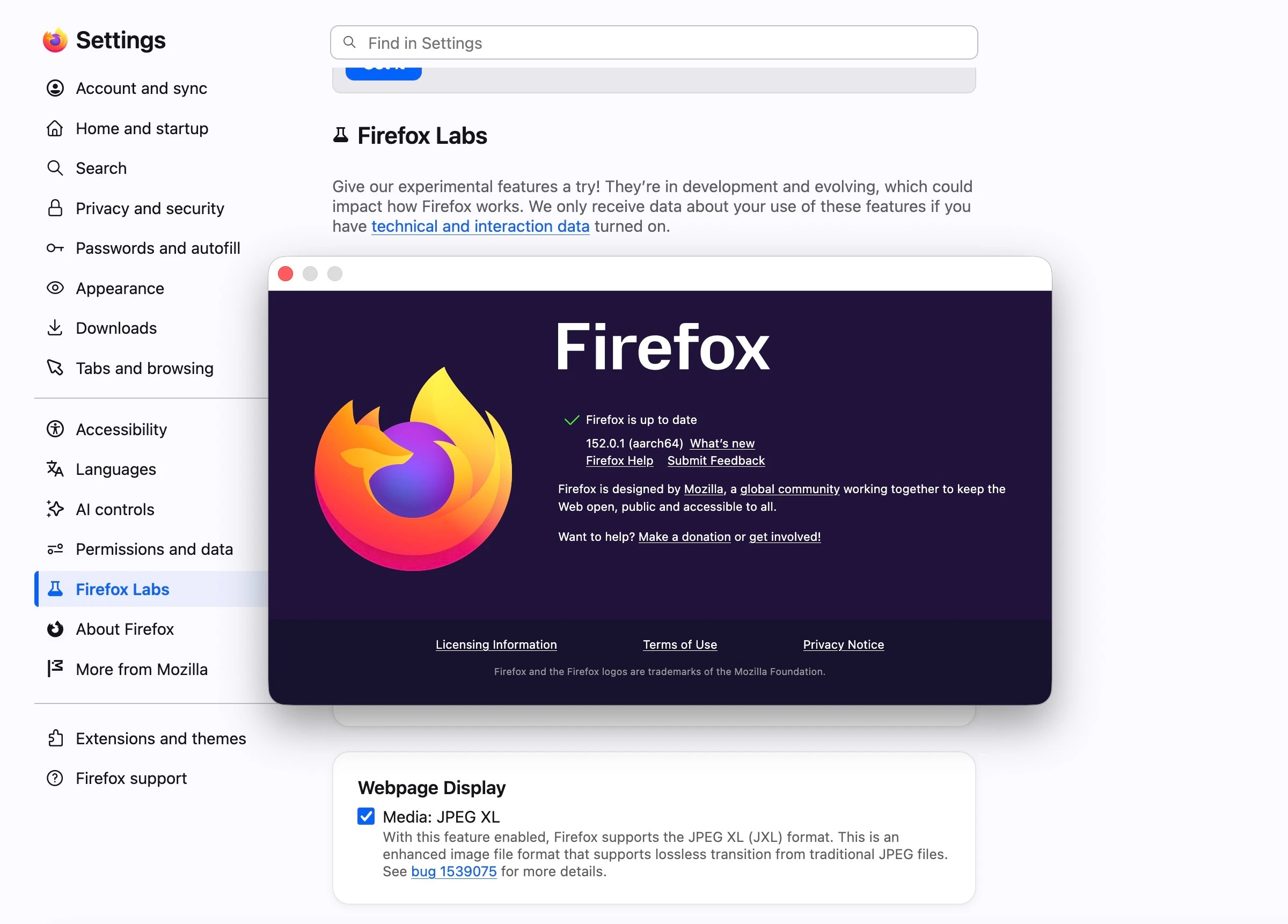
Great news for JPEG-XL supporters! While Apple has championed the format for a while now—both natively and across its Safari browser, Firefox is officially joining the ranks. They recently introduced JPEG-XL support under their experimental features section, Firefox Labs.
(Note: Previously, Firefox only enabled JPEG-XL by default within its experimental Nightly builds.)
How to Enable JPEG-XL in Firefox
- Update your browser to Firefox 152
- Launch Firefox
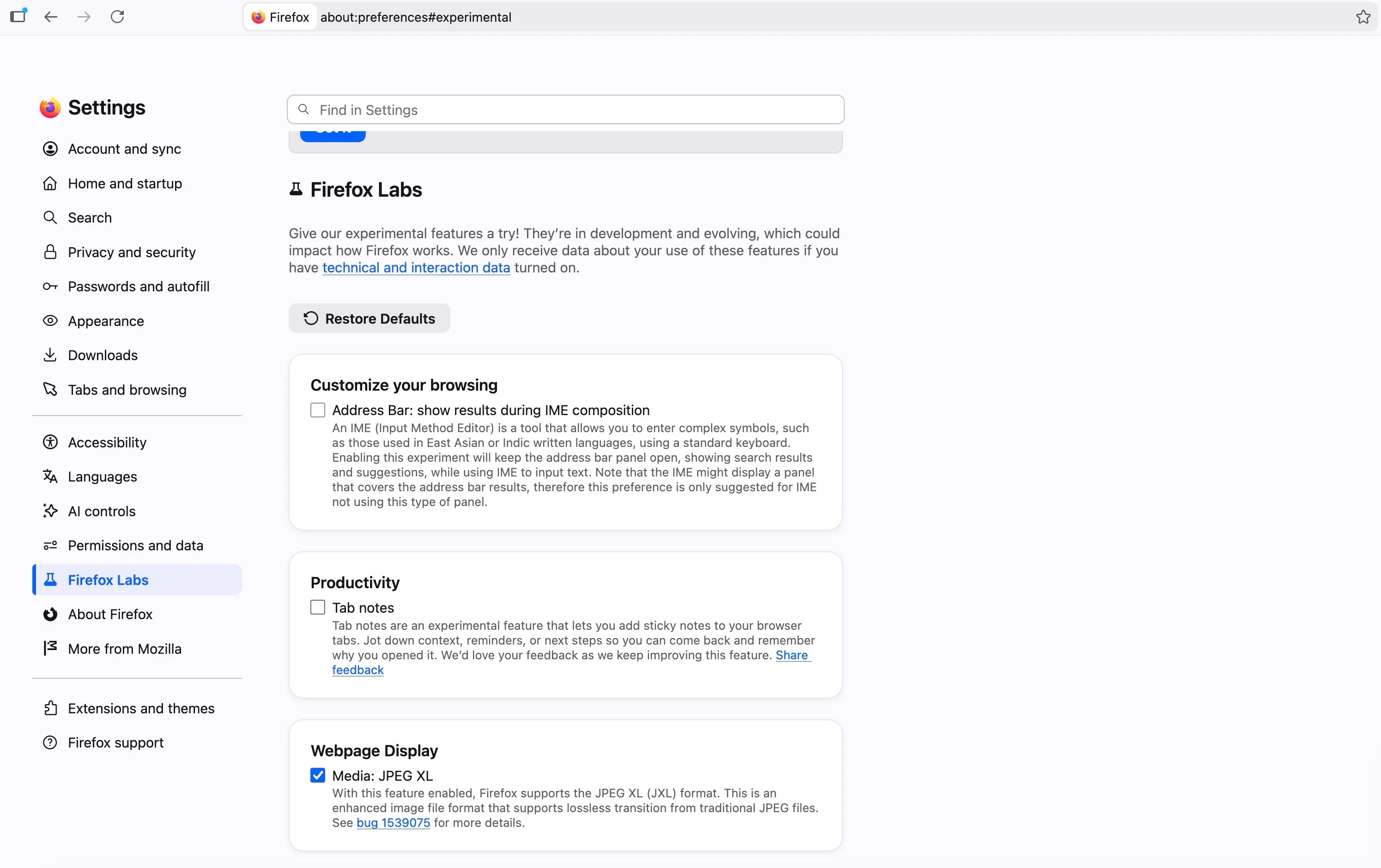
- Navigate to Settings and click on Firefox Labs
- Scroll to the bottom of the screen (under Webpage Display) and enable JPEG-XL.
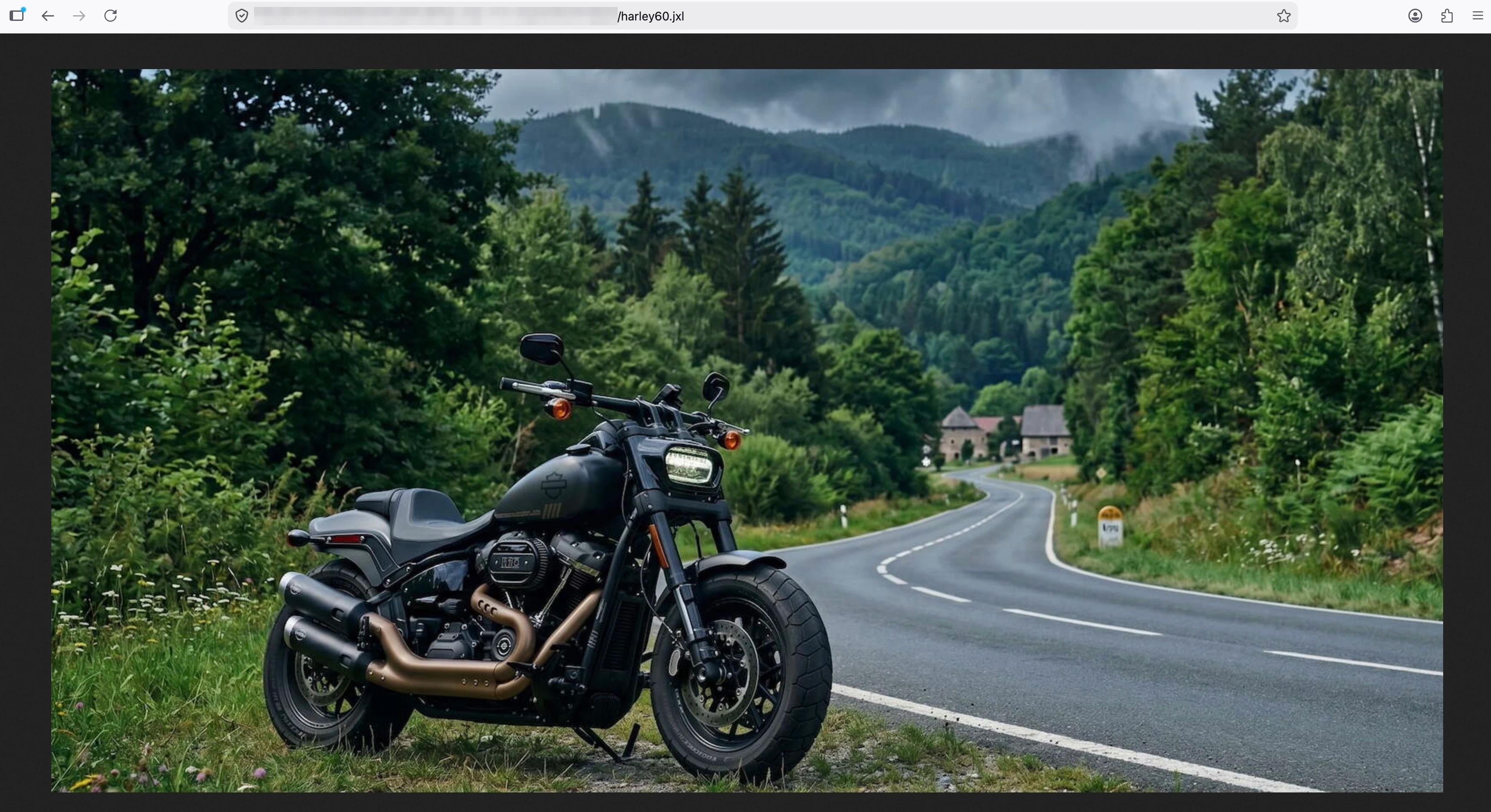
As the snapshots below demonstrate, JXL images are now rendering successfully. Given this progress, it is highly likely that an upcoming stable release of Firefox will have JXL support enabled by default.