HEIF vs AVIF
A comparison of these codecs from a SSIM/DSSIM lens


Before we begin, I recommend reading:
In this post, I plan to compare the HEIF and AVIF image codecs. Both have roots in video compression, HEIF is sourced from H.265/HEVC, while AVIF is sourced from AV1. We will compare them by taking a couple JPEGs encoded at quality 92 and 100, converting it to equivalent quality levels in both formats, and running an SSIM/DSSIM comparison as usual.
HEIC / HEIF (High Efficiency Image File Format) Introduction
HEIC and HEIF are broadly the same image codec. HEIC is Apple’s specific implementation, while HEIF is the universal standard. As mentioned above, both are based on the H.265/HEVC video codec developed by the MPEG group. Essentially, HEIC/HEIF files are a single video frame saved as a standalone image, meaning they are not a “true” still image codec from the ground up like JPEG or JPEG-XL.
These video origins are an important consideration because they enable advanced features, such as storing multiple images in a single file—a capability utilized by Apple’s “Live Photos.”
HEIC vs HEIF
As discussed above, they are more or less the same format. However, there is one key difference:
All HEICs are technically HEIFs, but HEIF is a broader format that is not tied to HEVC alone, it can be extended to utilize other codecs. HEIC, on the other hand, is Apple’s specific implementation of HEIF that strictly adheres to its HEVC origins.
Device Adoption
HEIC/HEIF currently enjoys limited widespread support, with Apple notably being the major provider championing the format. Apple introduced native HEIC support beginning with iOS 11, allowing users to significantly save device storage on camera captures compared to traditional JPEGs.
- HEIF is not natively supported on Windows, it requires an extension.
- Android added support for HEIC with the release of Android 9 (Pie): https://developer.android.com/about/versions/pie/android-9.0
- Android 10 extended this support to include appropriate hardware encoders.
AVIF
AVIF is a highly popular format that we have discussed in previous blogs, including the one linked at the beginning of this post. Therefore, we will not spend too much time introducing it here.
AVIF is a still image codec derived directly from the AV1 video codec. AVIF dominates most other image formats due to its superior compression efficiency and currently enjoys excellent support across the modern device ecosystem.
Device Adoption
AVIF enjoys much broader support than HEIF, especially on newer devices, operating systems, and browsers.
- Android added native decoding support for AVIF in its Android 12 release.
- Apple introduced native support for AVIF starting with iOS 16.
- Chrome has supported AVIF since version 85.
- Microsoft supports AVIF in its modern Windows 10 and Windows 11 builds.
AVIF is an easy winner for the web considering its broader support, while HEIC continues to be the preferred format for Apple, particularly within its camera ecosystem.
The Comparison
For this comparison, I will start with a high-quality JPEG encoded at q92, convert it to both AVIF and HEIF at q85, and run an SSIM/DSSIM comparison using Fred’s ImageMagick script. Let us see how they score individually.
We used the ImageMagick tool for conversion. Here are the sample commands:
magick rain.jpg -quality 85 rain-85.heif
magick rain.jpg -quality 85 rain-85.avif
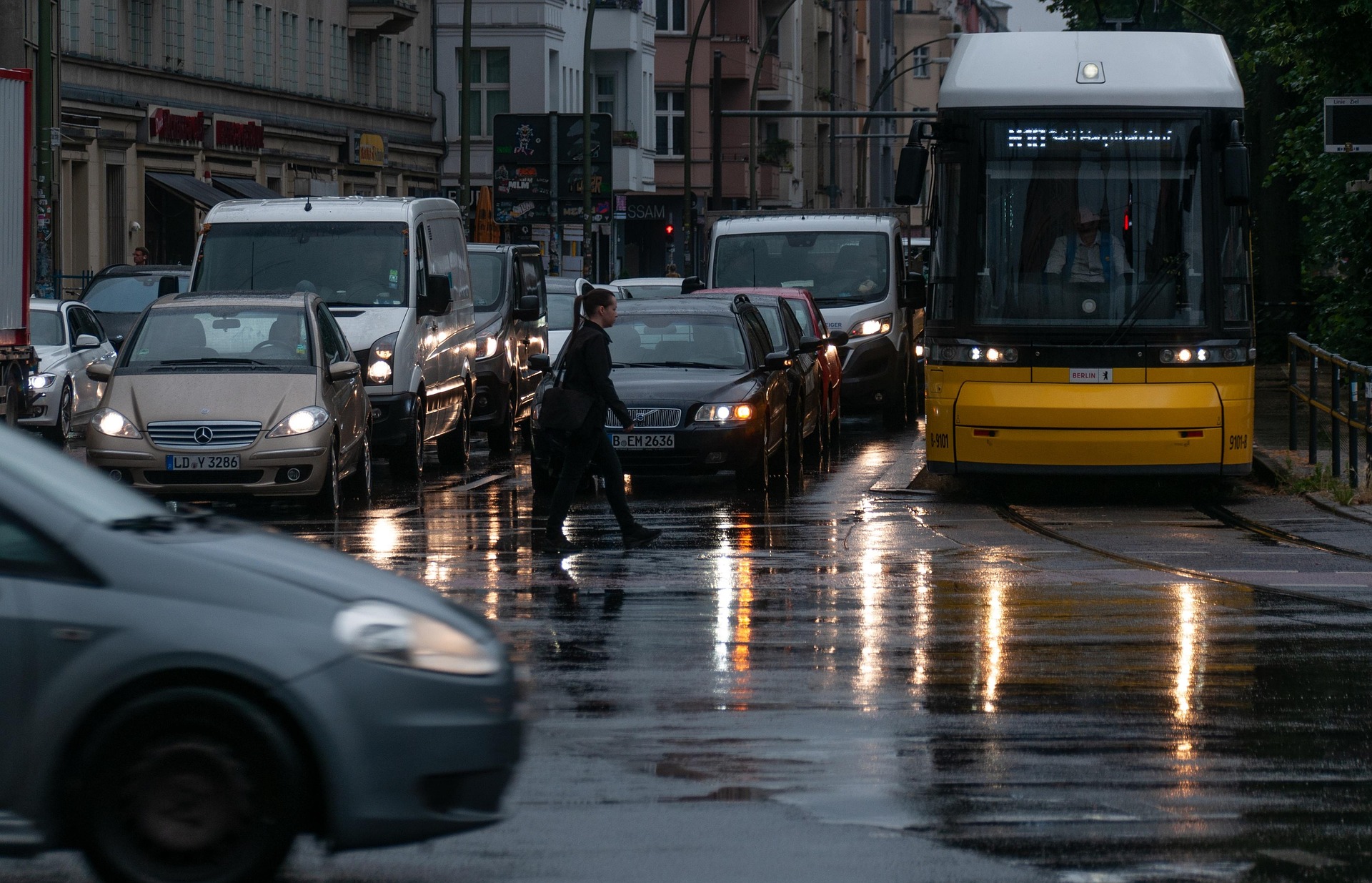
Original 1: Beautiful capture of city traffic during the monsoons. JPEG at q92:
Size: 631 KB (q92)
HEIF (Encoded at q85):
Size: 1 MB (q85) Bloats
https://www.coderevere.com/images/rain-85.heif?imbypass=true
(Note: Unless you are on Safari/macOS, your browser will not display this image. Use the direct link above to view it in a supported environment.)
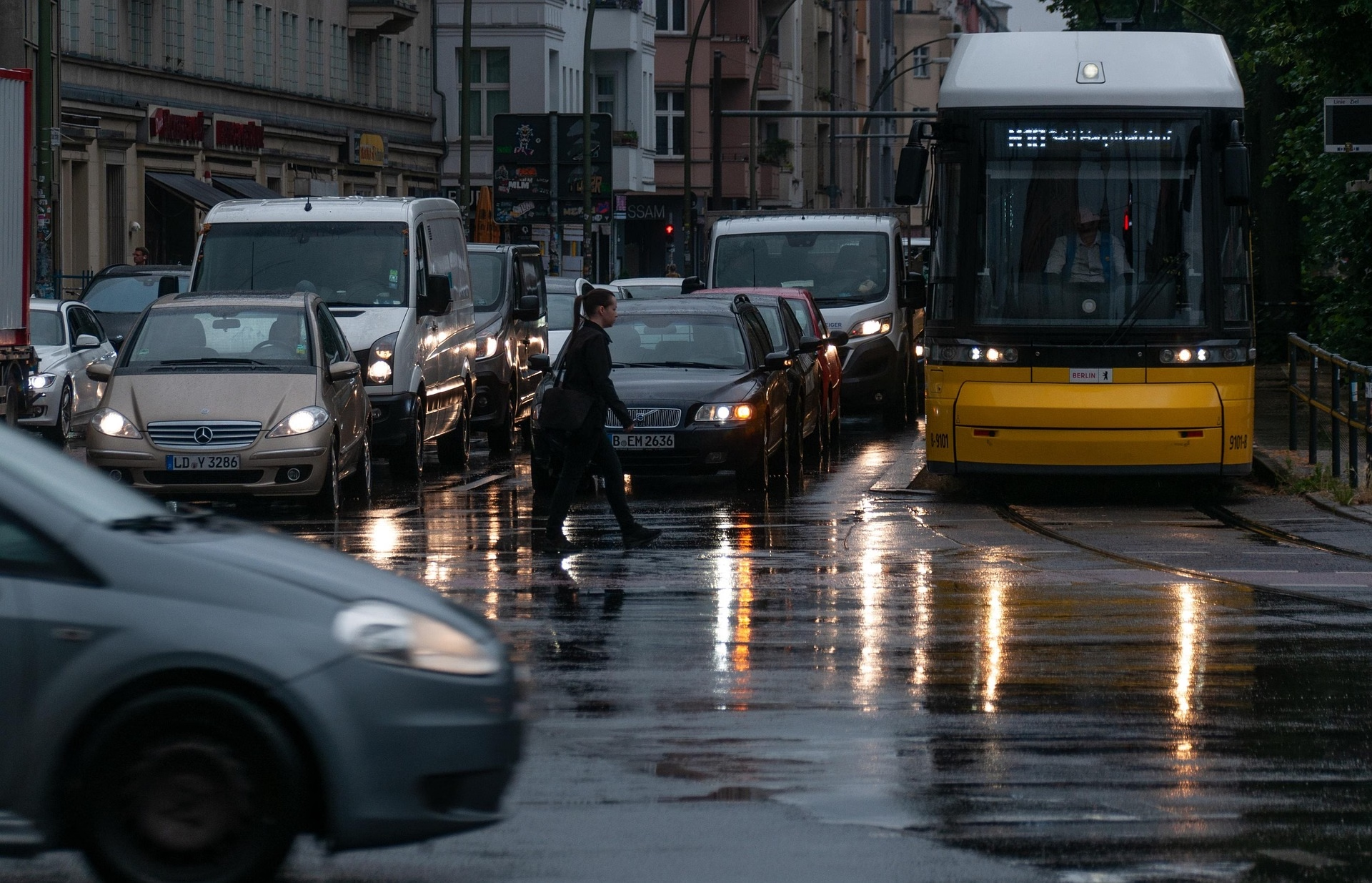
AVIF (Encoded at q85):
Size: 461 KB (q85)
SSIM/DSSIM comparison:
bash ./ssim.sh rain.jpg rain-85.heif
# ssim=0.994 dssim=0.006
bash ./ssim.sh rain.jpg rain-85.avif
# ssim=0.994 dssim=0.006
There is basically no structural difference on the surface, but the file size difference is significant. AVIF takes the win here.
What if we match the file weight to make it a better comparison?
For this, we will downsample HEIF to bring its file size closer to AVIF.
I tried HEIF at q61 and q60, and the results were 484 KB and 455 KB, respectively. Since 455 KB is closer to AVIF’s 461 KB, let us stick to q60.
https://www.coderevere.com/images/rain-60.heif?imbypass=true
bash ./ssim.sh rain.jpg rain-60.heif
# ssim=0.994 dssim=0.006
There is no difference whatsoever when using Fred’s script for SSIM/DSSIM. This is good news for HEIF. However, let us switch back to the native SSIM comparison in ImageMagick. While I trust and prefer Fred’s scripts, to be on the safe side, let us look at the native results too.
magick compare -metric SSIM rain.jpg rain-85.heif null:
# 103.844 (0.00158456)%
magick compare -metric SSIM rain.jpg rain-85.avif null:
# 450.51 (0.00687434)%
HEIF performs outstandingly here. Both images show low distortion from the original JPEG, but HEIF is roughly 4.3x better than AVIF. However, let us not forget that the image bloated to 1 MB with HEIF at q85. Let us now compare AVIF (q85) and HEIF (q60) like before.
HEIF wins again and is 6 KB smaller than AVIF. Do remember that a q85 for AVIF will not yield the same results as q85 for HEIF, and vice versa. Therefore, trying to match the file weight is always the better approach, in my opinion. When we do this, HEIF still comes out the winner by a small margin.
Mathematically, rain-60.heif is structurally closer to the original JPEG than rain-85.avif is.
Let us revisit Fred’s script, but this time with 6 decimal points to extend the comparison to further minute math.
bash ./ssim.sh -p 6 rain.jpg rain-60.heif
# ssim=0.994409 dssim=0.005591
bash ./ssim.sh -p 6 rain.jpg rain-85.heif
# ssim=0.994221 dssim=0.005779
bash ./ssim.sh -p 6 rain.jpg rain-85.avif
# ssim=0.994384 dssim=0.005616
Plot Twist: rain-60.heif not only beats rain-85.avif, but also beats rain-85.heif.
How can it be possible?
Well, this does happen—quite often, actually. Remember that whether you use Fred’s script or the native ImageMagick implementation, SSIM/DSSIM metrics focus heavily on microscopic detail using a rigid mathematical approach. Meanwhile, some formats like AVIF may intentionally trade off such minute details to achieve smaller file sizes.
When HEIF is encoded at 85, there is a possibility that it aggressively tries to preserve details, interpreting tiny film grain or noise as something it needs to accurately encode. This can introduce minute artifacts that are ultimately punished by the SSIM/DSSIM scoring above.
When HEIF is encoded at 60, the likelihood of smoothing out microscopic detail is higher in order to save space. This smoothing effect essentially eliminates those tiny, chaotic variations, resulting in a “cleaner” image that the SSIM/DSSIM math in Fred’s script actually prefers.
Hence, when we use SSIM/DSSIM for comparison, it does not guarantee the mathematical “winner” is always visually better, rather, it is strongly indicative.
Now let’s use the title image of this blog for comparison.
Original 2: Popeye and Bluto (JPEG at q100)
Size: 1.9 MB

HEIF (Encoded at q70):
Size: 544 KB
https://www.coderevere.com/images/popeye-bluto-70.heif?imbypass=true
AVIF (Encoded at q70):
Size: 262 KB

SSIM/DSSIM Comparison (Fred’s script):
bash ./ssim.sh -p 6 popeye-bluto.jpg popeye-bluto-70.avif
# ssim=0.977176 dssim=0.022824
bash ./ssim.sh -p 6 popeye-bluto.jpg popeye-bluto-70.heif
# ssim=0.975094 dssim=0.024906
AVIF wins this round. There is a significant difference in file size, too. Let us match the weight and see if AVIF pulls further away from HEIF on this image type.
HEIF encoded at q52 comes closest to AVIF encoded at q70: 263 KB vs. 262 KB. Let us compare them now.
https://www.coderevere.com/images/popeye-bluto-52.heif?imbypass=true
bash ./ssim.sh -p 6 popeye-bluto.jpg popeye-bluto-52.heif
# ssim=0.97686 dssim=0.02314
While HEIF at q52 defeats its higher-quality q70 version (the paradox strikes again!), it still loses to AVIF this time.
Key Takeaway / Verdict
HEIF seems to perform better for the high-frequency rain image, which includes complex noise and texture. Conversely, AVIF excels with clean lines and flat colors, which the Popeye illustration heavily features.
There is no single “best” image format; it is entirely relative to the specific content being encoded. You could make a strong case for either format based on this post, but AVIF remains the clear winner for wider web adoption. It generally provides better file sizes while only being marginally less efficient on microscopic details for certain types of images.