Why Strip EXIF Metadata?
Learn what EXIF data is, why it poses a security risk, and how to strip it.

EXIF: Introduction
Let us begin by understanding what EXIF metadata is before discussing why we might consider stripping it.
Released in 1995, EXIF (Exchangeable Image File Format) is a standard that specifies the formats for images, sound, and ancillary tags used by digital cameras and other devices. It captures a vast amount of data, including technical specifications that can be incredibly useful.
Almost all digital cameras support EXIF. These tags cover various details, including:
- Image data: dimensions, colorspace, resolution, etc.
- Location (if GPS is turned on)
- Copyright details
- Camera settings at the time of capture
Extract EXIF
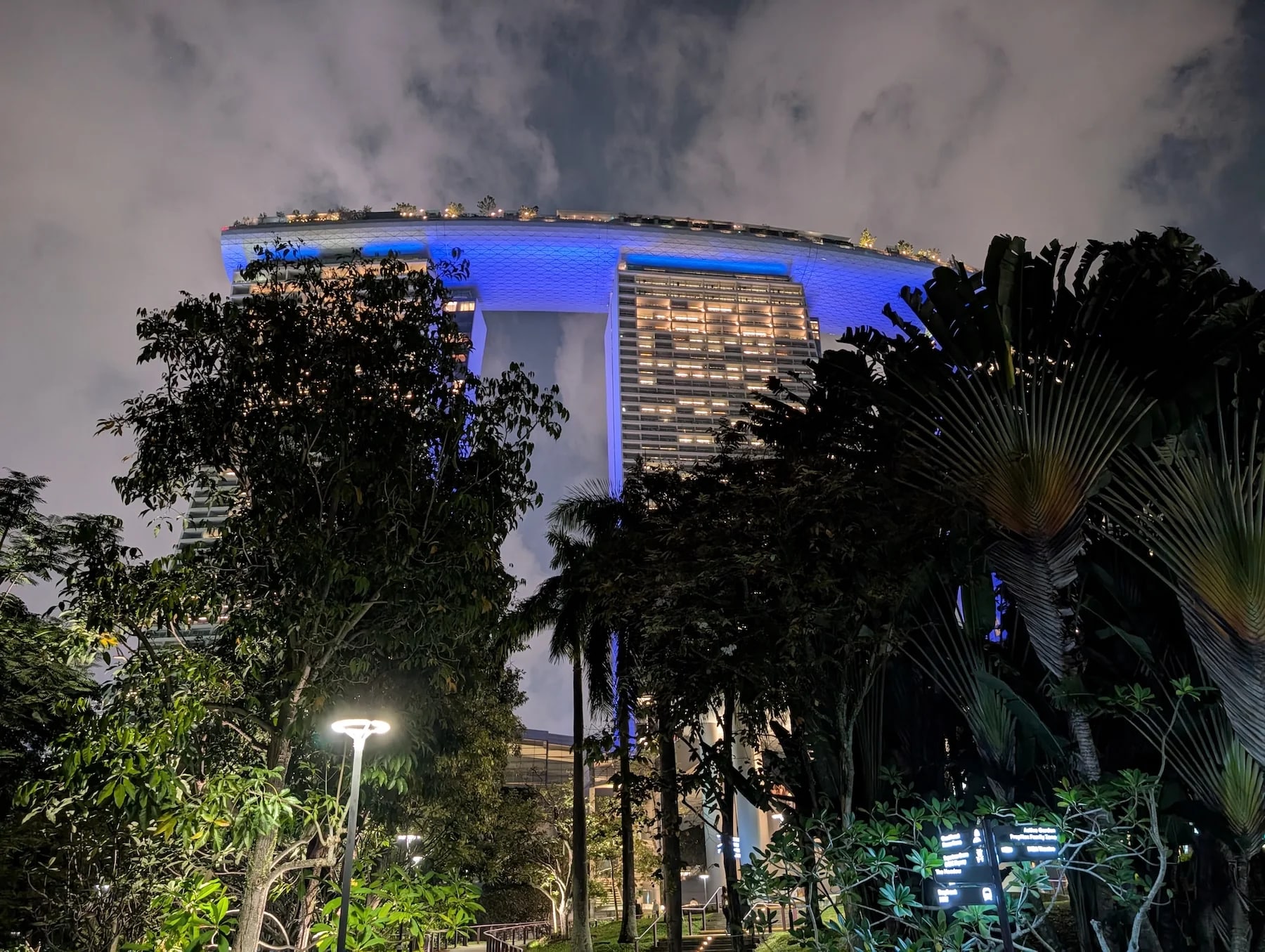
Let us extract this data from a beautiful photo I captured on a recent trip.
This picture was taken in Singapore on a Pixel 9. I initially emailed it to myself to download on my computer for analysis, but the email application stripped some of the metadata. To ensure I had a pristine version, I downloaded it directly from Google Photos. As expected, the EXIF data remained intact. I then resized and converted the image from JPEG to WebP and checked again, and the EXIF data remained unchanged.
There is a misconception that converting an image to WebP automatically removes EXIF data, but this is inaccurate. WebP supports EXIF metadata, and ImageMagick is designed to preserve metadata when converting between supported formats.
However, some third-party image conversion tools and libraries may strip this data to optimize file size, so your mileage may vary.
I then ran the following ImageMagick command to extract the EXIF information:
magick identify -format '%[EXIF:*]' marina.webp

# Response
exif:ApertureValue=3/2
exif:BrightnessValue=-181/100
exif:ColorSpace=1
exif:ComponentsConfiguration=...
exif:Contrast=0
exif:CustomRendered=1
exif:DateTime=2026:07:10 21:13:26
exif:DateTimeDigitized=2026:07:10 21:13:26
exif:DateTimeOriginal=2026:07:10 21:13:26
exif:DigitalZoomRatio=0/1
exif:ExifOffset=220
exif:ExifVersion=0232
exif:ExposureBiasValue=0/1
exif:ExposureMode=0
exif:ExposureProgram=2
exif:ExposureTime=1/20
exif:Flash=16
exif:FlashPixVersion=0100
exif:FNumber=42/25
exif:FocalLength=69/10
exif:FocalLengthIn35mmFilm=24
exif:GPSAltitude=79/5
exif:GPSAltitudeRef=.
exif:GPSDateStamp=2026:07:10
exif:GPSImgDirection=214/1
exif:GPSImgDirectionRef=M
exif:GPSInfo=904
exif:GPSLatitude=1/1,16/1,5685/100
exif:GPSLatitudeRef=N
exif:GPSLongitude=103/1,51/1,4459/100
exif:GPSLongitudeRef=E
exif:GPSTimeStamp=13/1,13/1,8/1
exif:GPSVersionID=....
exif:LensMake=Google
exif:LensModel=Pixel 9 back camera 6.9mm f/1.68
exif:Make=Google
exif:MaxApertureValue=3/2
exif:MeteringMode=255
exif:Model=Pixel 9
exif:OffsetTime=+08:00
exif:OffsetTimeDigitized=+08:00
exif:OffsetTimeOriginal=+08:00
exif:Orientation=1
exif:PhotographicSensitivity=619
exif:PixelXDimension=4080
exif:PixelYDimension=3072
exif:ResolutionUnit=2
exif:Saturation=0
exif:SceneCaptureType=0
exif:SceneType=.
exif:SensingMethod=2
exif:Sharpness=0
exif:ShutterSpeedValue=108/25
exif:Software=HDR+ 1.0.888945374zd
exif:SubjectDistance=4294967295/1
exif:SubjectDistanceRange=3
exif:SubSecTime=562
exif:SubSecTimeDigitized=562
exif:SubSecTimeOriginal=562
exif:WhiteBalance=0
exif:XResolution=72/1
exif:YCbCrPositioning=1
exif:YResolution=72/1
I tried AVIF to see if this data remains, and it does:
magick identify -format '%[EXIF:*]' marina.avif

# Response
exif:ApertureValue=3/2
exif:BrightnessValue=-181/100
exif:ColorSpace=1
exif:ComponentsConfiguration=...
exif:Contrast=0
exif:CustomRendered=1
exif:DateTime=2026:07:10 21:13:26
exif:DateTimeDigitized=2026:07:10 21:13:26
exif:DateTimeOriginal=2026:07:10 21:13:26
exif:DigitalZoomRatio=0/1
exif:ExifOffset=220
exif:ExifVersion=0232
exif:ExposureBiasValue=0/1
exif:ExposureMode=0
exif:ExposureProgram=2
exif:ExposureTime=1/20
exif:Flash=16
exif:FlashPixVersion=0100
exif:FNumber=42/25
exif:FocalLength=69/10
exif:FocalLengthIn35mmFilm=24
exif:GPSAltitude=79/5
exif:GPSAltitudeRef=.
exif:GPSDateStamp=2026:07:10
exif:GPSImgDirection=214/1
exif:GPSImgDirectionRef=M
exif:GPSInfo=904
exif:GPSLatitude=1/1,16/1,5685/100
exif:GPSLatitudeRef=N
exif:GPSLongitude=103/1,51/1,4459/100
exif:GPSLongitudeRef=E
exif:GPSTimeStamp=13/1,13/1,8/1
exif:GPSVersionID=....
exif:LensMake=Google
exif:LensModel=Pixel 9 back camera 6.9mm f/1.68
exif:Make=Google
exif:MaxApertureValue=3/2
exif:MeteringMode=255
exif:Model=Pixel 9
exif:OffsetTime=+08:00
exif:OffsetTimeDigitized=+08:00
exif:OffsetTimeOriginal=+08:00
exif:Orientation=1
exif:PhotographicSensitivity=619
exif:PixelXDimension=4080
exif:PixelYDimension=3072
exif:ResolutionUnit=2
exif:Saturation=0
exif:SceneCaptureType=0
exif:SceneType=.
exif:SensingMethod=2
exif:Sharpness=0
exif:ShutterSpeedValue=108/25
exif:Software=HDR+ 1.0.888945374zd
exif:SubjectDistance=4294967295/1
exif:SubjectDistanceRange=3
exif:SubSecTime=562
exif:SubSecTimeDigitized=562
exif:SubSecTimeOriginal=562
exif:WhiteBalance=0
exif:XResolution=72/1
exif:YCbCrPositioning=1
exif:YResolution=72/1
Why Strip it?
As you can see from the example above, the EXIF format holds a vast amount of data. Some of this can be categorized as sensitive information that poses a threat to a user’s privacy.
A photo with these tags could reveal all of the below and more:
- The exact location where the photo was taken
- The device details, including manufacturer information
- Date and time when the photo was taken
The fact that a malicious actor could track someone using image data poses serious security risks.
For privacy and security reasons, many users choose to remove this metadata. I will continue using ImageMagick to accomplish this task.
Removal
magick marina.jpg -quality 85 -strip marina-s.webp

magick identify -format '%[EXIF:*]' marina-s.webp
# No Response as EXIF metadata has been stripped
As demonstrated above, the -strip flag can be used to remove EXIF metadata from the output image.
Risks
Removing all metadata can introduce a few rendering issues. For instance, stripping the color profile affects how a browser or application displays the image. It will generally default to standard sRGB, even if the original photo was captured in a wider color space like Display P3, which can lead to a noticeable shift or dulling of colors.
Incorrect orientation is another common risk. Please consider these risks before blindly stripping all metadata. I plan to use ExifTool to demonstrate this selective removal technique in an upcoming post.
This brings us to the end of this post. Thank you for your time.