Port Scanning
What is port scanning and how to conduct one?


Let us begin by understanding what is port scanning?
Port scanning is a network security technique, mainly for reconnaissance, which is conducted to discover all active services and open ports on a target host. Although often associated with preparing for an attack, these methods are also commonly used by ethical hackers and red teaming professionals to find and patch vulnerabilities that could be exploited.
Let’s go back to basics for a moment. What are these ports even for?
Ports serve as virtual endpoints for network communication. To facilitate these communications, computers and network devices utilize two primary transport protocols: TCP and UDP. Each of these protocols is allocated 65,536 potential communication points, referred to as Ports. Therefore, if both TCP and UDP are enabled on a device, the total number of communication points is double that amount.
Attackers leverage various techniques to overwhelm servers with connection requests that lead to port exhaustion to render a service unavailable. Attackers frequently use port scanning tools to conduct initial discovery needed for their operations.
Is port scanning illegal?
While not inherently illegal in most countries it is considered unethical and in many regions may lead to fines, civil lawsuits etc. Many ISPs prohibit this activity and may employ ingress filtering techniques to block such attempts as it may lead to a violation of its fair/acceptable usage policies. Could lead to further ramifications too. Hence, you are highly encouraged not to engage in such activity unless you are a red teamer running such scans to identify and fix vulnerabilities within your system before an attacker could get to it.
Where do I find these tools?
There are plenty on the internet. I am demonstrating one such example for this blog.
RustScan
I am using RustScan for a demonstration here. It’s a great great tool for port scanning. Written in rust, it allows super fast scanning.
Follow this GitHub link for instructions - https://github.com/bee-san/RustScan
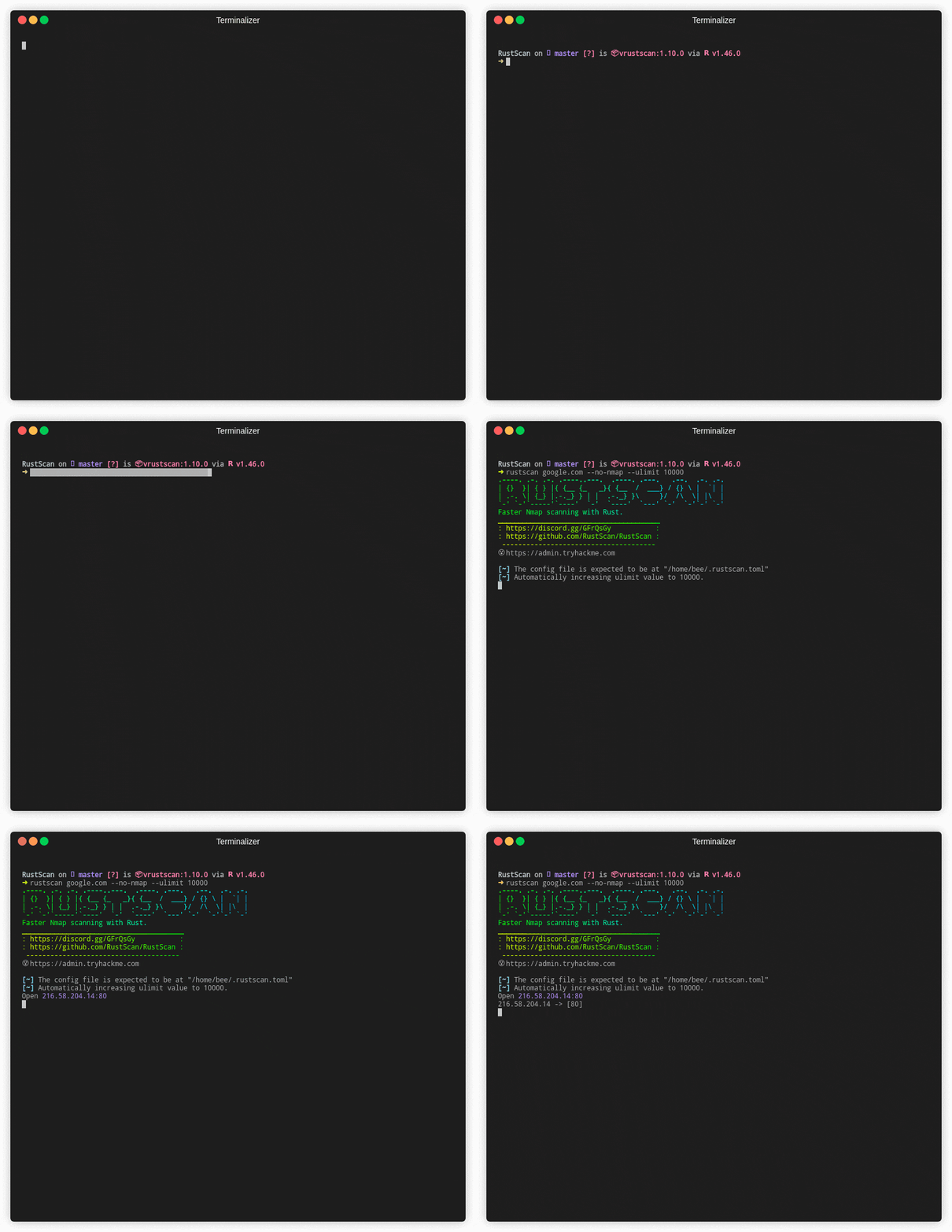 Image Source - GitHub
MacOS Installation -
brew install rustscan
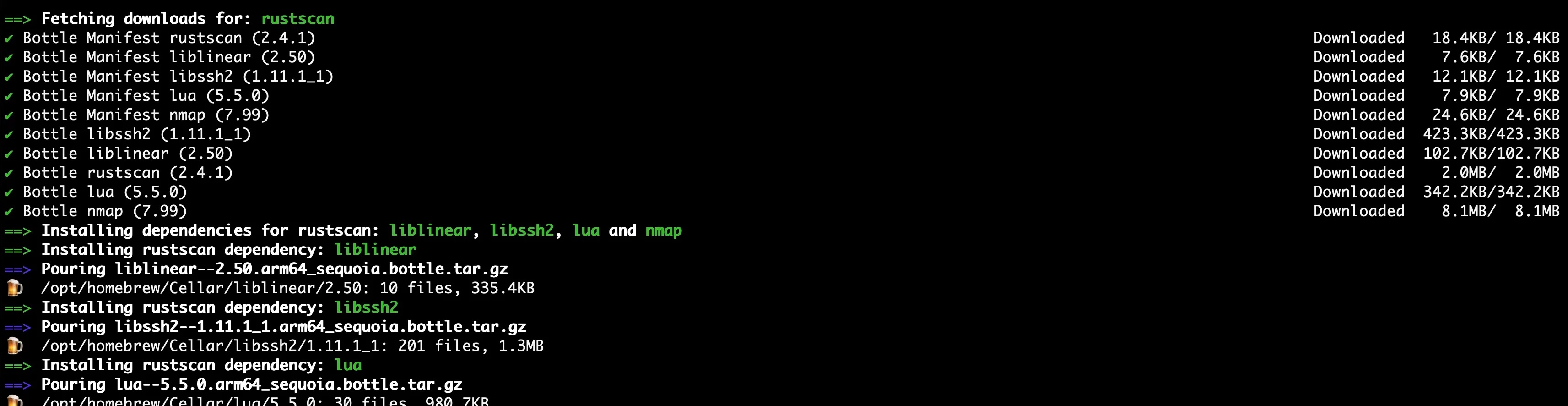
Let’s confirm the installation is successful.
rustscan --version
# Response
rustscan 2.3.0
Let us first understand how to use RustScan tool by running the help command. Response below -
rustscan 2.3.0
Fast Port Scanner built in Rust. WARNING Do not use this program against sensitive infrastructure since the specified
server may not be able to handle this many socket connections at once. - Discord  <http://discord.skerritt.blog> -
GitHub <https://github.com/RustScan/RustScan>

USAGE:
    rustscan [OPTIONS] [-- <COMMAND>...]

OPTIONS:
  -a, --addresses <ADDRESSES>                  A comma-delimited list or newline-delimited file of separated CIDRs, IPs,
                                               or hosts to be scanned
  -p, --ports <PORTS>                          A list of comma separated ports to be scanned. Example: 80,443,8080
  -r, --range <RANGE>                          A range of ports with format start-end. Example: 1-1000
  -n, --no-config                              Whether to ignore the configuration file or not
      --no-banner                              Hide the banner
  -c, --config-path <CONFIG_PATH>              Custom path to config file
  -g, --greppable                              Greppable mode. Only output the ports. No Nmap. Useful for grep or
                                               outputting to a file
      --accessible                             Accessible mode. Turns off features which negatively affect screen
                                               readers
      --resolver <RESOLVER>                    A comma-delimited list or file of DNS resolvers
  -b, --batch-size <BATCH_SIZE>                The batch size for port scanning, it increases or slows the speed of
                                               scanning. Depends on the open file limit of your OS.  If you do 65535 it
                                               will do every port at the same time. Although, your OS may not support
                                               this [default: 4500]
  -t, --timeout <TIMEOUT>                      The timeout in milliseconds before a port is assumed to be closed
                                               [default: 1500]
      --tries <TRIES>                          The number of tries before a port is assumed to be closed. If set to 0,
                                               rustscan will correct it to 1 [default: 1]
  -u, --ulimit <ULIMIT>                        Automatically ups the ULIMIT with the value you provided
      --scan-order <SCAN_ORDER>                The order of scanning to be performed. The "serial" option will scan
                                               ports in ascending order while the "random" option will scan ports
                                               randomly [default: serial] [possible values: serial, random]
      --scripts <SCRIPTS>                      Level of scripting required for the run [default: default] [possible
                                               values: none, default, custom]
      --top                                    Use the top 1000 ports
  -e, --exclude-ports <EXCLUDE_PORTS>          A list of comma separated ports to be excluded from scanning. Example:
                                               80,443,8080
  -x, --exclude-addresses <EXCLUDE_ADDRESSES>  A list of comma separated CIDRs, IPs, or hosts to be excluded from
                                               scanning
      --udp                                    UDP scanning mode, finds UDP ports that send back responses
  -h, --help                                   Print help
  -V, --version                                Print version
Sample Scan
I will be running a scan against a machine/instance I created on Linode/Akamai cloud.
I have created a Linux VM and plan to open several TCP/UDP ports for comms. This is being done intentionally for demonstration. PLEASE DO NOT TRY THIS IN ANY ENVIRONMENT UNLESS IT’S A CONTROLLED LAB AS IT CAN LEAD TO SIGNIFICANT RAMIFICATIONS.
Let’s log into the machine and make it completely vulnerable to all kinds of scanning, we will begin by installing Portsentry tool.
“Portsentry monitors network traffic to detect and respond to port scans and probing attempts in real-time.”
sudo apt update
sudo apt install portsentry
Let’s enable the following TCP and UDP modes -
sudo nano /etc/default/portsentry

# Ensure it contains these lines

TCP_MODE="tcp"
UDP_MODE="udp"
Let’s modify the configuration now -
sudo nano /etc/portsentry/portsentry.conf
Overwrite portsentry.conf with the block below.
#######################
# Port Configurations#
#######################

TCP_PORTS="1,7,9,11,13,15,17,19,21,23,25,37,42,43,49,70,79,80,88,107,109,110,111,113,115,119,135,139,143,161,162,179,194,389,443,445,465,512,513,514,515,520,540,543,544,548,554,587,631,635,636,700,749,873,902,993,995"
UDP_PORTS=""

# We are using classic mode, not advanced stealth.

######################
# Configuration Files#
######################
IGNORE_FILE="/etc/portsentry/portsentry.ignore"
HISTORY_FILE="/var/lib/portsentry/portsentry.history"
BLOCKED_FILE="/var/lib/portsentry/portsentry.blocked"

###################
# Response Options#
###################
# We must ensure all active blocking is disabled.

# 0 = Do not block.
BLOCK_UDP="0"
BLOCK_TCP="0"

# (All KILL_ROUTE options must remain commented out)
# (All KILL_HOSTS_DENY options must remain commented out)

#####################
# Scan trigger value#
#####################
SCAN_TRIGGER="0"

EOF
Add the following ignore condition -
# Create a mandatory ignore file (even if UFW is off)
cat <<EOF | sudo tee /etc/portsentry/portsentry.ignore
127.0.0.1/32
0.0.0.0/32
::1/128
EOF
Restart Portsentry -
sudo systemctl start portsentry
Let’s confirm if it was successful -
sudo ss -tulpn
Upon successfully outputting a comprehensive list of ports, we will proceed to scan the vulnerable host using rustscan.
Response -
sudo ss -tulpn
Netid        State          Recv-Q         Send-Q                 Local Address:Port                 Peer Address:Port        Process
udp          UNCONN         0              0                         127.0.0.54:53                        0.0.0.0:*            users:(("systemd-resolve",pid=442,fd=16))
udp          UNCONN         0              0                      127.0.0.53%lo:53                        0.0.0.0:*            users:(("systemd-resolve",pid=442,fd=14))
tcp          LISTEN         0              4096                   127.0.0.53%lo:53                        0.0.0.0:*            users:(("systemd-resolve",pid=442,fd=15))
tcp          LISTEN         4              5                            0.0.0.0:8888                      0.0.0.0:*            users:(("python3",pid=4094,fd=3))
tcp          LISTEN         0              5                            0.0.0.0:700                       0.0.0.0:*            users:(("portsentry",pid=4425,fd=51))
tcp          LISTEN         0              5                            0.0.0.0:749                       0.0.0.0:*            users:(("portsentry",pid=4425,fd=52))
tcp          LISTEN         0              5                            0.0.0.0:543                       0.0.0.0:*            users:(("portsentry",pid=4425,fd=43))
tcp          LISTEN         0              5                            0.0.0.0:540                       0.0.0.0:*            users:(("portsentry",pid=4425,fd=42))
tcp          LISTEN         0              5                            0.0.0.0:520                       0.0.0.0:*            users:(("portsentry",pid=4425,fd=41))
tcp          LISTEN         0              5                            0.0.0.0:515                       0.0.0.0:*            users:(("portsentry",pid=4425,fd=40))
tcp          LISTEN         0              5                            0.0.0.0:514                       0.0.0.0:*            users:(("portsentry",pid=4425,fd=39))
tcp          LISTEN         0              5                            0.0.0.0:513                       0.0.0.0:*            users:(("portsentry",pid=4425,fd=38))
tcp          LISTEN         0              5                            0.0.0.0:512                       0.0.0.0:*            users:(("portsentry",pid=4425,fd=37))
tcp          LISTEN         0              5                            0.0.0.0:554                       0.0.0.0:*            users:(("portsentry",pid=4425,fd=46))
tcp          LISTEN         0              5                            0.0.0.0:544                       0.0.0.0:*            users:(("portsentry",pid=4425,fd=44))
tcp          LISTEN         0              5                            0.0.0.0:548                       0.0.0.0:*            users:(("portsentry",pid=4425,fd=45))
tcp          LISTEN         0              5                            0.0.0.0:587                       0.0.0.0:*            users:(("portsentry",pid=4425,fd=47))
tcp          LISTEN         0              5                            0.0.0.0:635                       0.0.0.0:*            users:(("portsentry",pid=4425,fd=49))
tcp          LISTEN         0              5                            0.0.0.0:636                       0.0.0.0:*            users:(("portsentry",pid=4425,fd=50))
tcp          LISTEN         0              5                            0.0.0.0:631                       0.0.0.0:*            users:(("portsentry",pid=4425,fd=48))
tcp          LISTEN         0              5                            0.0.0.0:902                       0.0.0.0:*            users:(("portsentry",pid=4425,fd=54))
tcp          LISTEN         0              5                            0.0.0.0:995                       0.0.0.0:*            users:(("portsentry",pid=4425,fd=56))
tcp          LISTEN         0              5                            0.0.0.0:993                       0.0.0.0:*            users:(("portsentry",pid=4425,fd=55))
tcp          LISTEN         0              5                            0.0.0.0:873                       0.0.0.0:*            users:(("portsentry",pid=4425,fd=53))
tcp          LISTEN         0              5                            0.0.0.0:139                       0.0.0.0:*            users:(("portsentry",pid=4425,fd=27))
tcp          LISTEN         0              5                            0.0.0.0:143                       0.0.0.0:*            users:(("portsentry",pid=4425,fd=28))
tcp          LISTEN         0              5                            0.0.0.0:135                       0.0.0.0:*            users:(("portsentry",pid=4425,fd=26))
tcp          LISTEN         0              5                            0.0.0.0:179                       0.0.0.0:*            users:(("portsentry",pid=4425,fd=31))
tcp          LISTEN         0              5                            0.0.0.0:162                       0.0.0.0:*            users:(("portsentry",pid=4425,fd=30))
tcp          LISTEN         0              5                            0.0.0.0:161                       0.0.0.0:*            users:(("portsentry",pid=4425,fd=29))
Finally we run a port scan -
rustscan -a 172.237.41.110
A successful scan would look like this -
rustscan -a 172.237.41.110
.----. .-. .-. .----..---.  .----. .---.   .--.  .-. .-.
| {}  }| { } |{ {__ {_   _}{ {__  /  ___} / {} \ |  `| |
| .-. \| {_} |.-._} } | |  .-._} }\     }/  /\  \| |\  |
`-' `-'`-----'`----'  `-'  `----'  `---' `-'  `-'`-' `-'
The Modern Day Port Scanner.
________________________________________
: http://discord.skerritt.blog         :
: https://github.com/RustScan/RustScan :
 --------------------------------------
TCP handshake? More like a friendly high-five!

[~] The config file is expected to be at "/Users/mbilal/.rustscan.toml"
[!] File limit is lower than default batch size. Consider upping with --ulimit. May cause harm to sensitive servers
[!] Your file limit is very small, which negatively impacts RustScan's speed. Use the Docker image, or up the Ulimit with '--ulimit 5000'.
Open 172.237.41.110:53
Open 172.237.41.110:1
Open 172.237.41.110:9
Open 172.237.41.110:15
Open 172.237.41.110:23
Open 172.237.41.110:7
Open 172.237.41.110:11
Open 172.237.41.110:13
Open 172.237.41.110:21
Open 172.237.41.110:19
Open 172.237.41.110:25
Open 172.237.41.110:37
Open 172.237.41.110:17
Open 172.237.41.110:42
Open 172.237.41.110:43
Open 172.237.41.110:22
Open 172.237.41.110:49
Open 172.237.41.110:70
Open 172.237.41.110:110
Open 172.237.41.110:113
Open 172.237.41.110:107
Open 172.237.41.110:115
Open 172.237.41.110:88
Open 172.237.41.110:119
Open 172.237.41.110:111
Open 172.237.41.110:79
Open 172.237.41.110:80
Open 172.237.41.110:109
Open 172.237.41.110:143
Open 172.237.41.110:135
Open 172.237.41.110:139
Open 172.237.41.110:161
Open 172.237.41.110:162
Open 172.237.41.110:194
Open 172.237.41.110:179
Open 172.237.41.110:389
Open 172.237.41.110:443
Open 172.237.41.110:445
Open 172.237.41.110:465
Open 172.237.41.110:512
Open 172.237.41.110:513
Open 172.237.41.110:520
Open 172.237.41.110:515
Open 172.237.41.110:514
Open 172.237.41.110:540
Open 172.237.41.110:548
..
...
....
Note:This blog is for educational purposes only, not to encourage any illegal port scanning activity. Thank you for reading.