Deploying a Small Vision Model to the Edge with WebAssembly (Akamai Functions)
A complete guide to shrinking, compiling, and deploying a serverless AI vision model to the edge using WebAssembly and Akamai Functions

Introduction: WebAssembly (WASM) and Akamai Functions (prev. Fermyon)
WebAssembly (WASM) is a low-level binary instruction format that allows developers to write code in multiple languages (C, C++, JavaScript, Rust, etc.) and run it in web browsers and server environments, all of this at near-native speed.
WebAssembly is designed as a portable compilation target for several languages. You can read more at webassembly.org.
Then came the Spin framework by the Fermyon team.
Spin is a framework for building and running event-driven microservice applications with WebAssembly (Wasm) components.
Spin uses Wasm because it is sandboxed, portable, and fast. Millisecond cold start times mean no need to keep applications “warm”.
Spin is an open source Cloud Native Computing Foundation sandbox project. It is built on standards, meaning you can take your Spin applications anywhere. There are Spin implementations for local development, for self-hosted servers, for Kubernetes, and for cloud-hosted services.
Akamai Functions
Building and running Spin applications is a lot of fun. It’s a very simple framework to learn and remains open-source, so you do not really need to be on the Akamai Functions platform to use it. However, Akamai’s distributed computing platform makes it incredibly easy for your applications to be reliably scaled and delivered to your end-users. For this demo, we will build and deploy a Spin app directly to the Akamai Functions global platform.
Small Vision Model
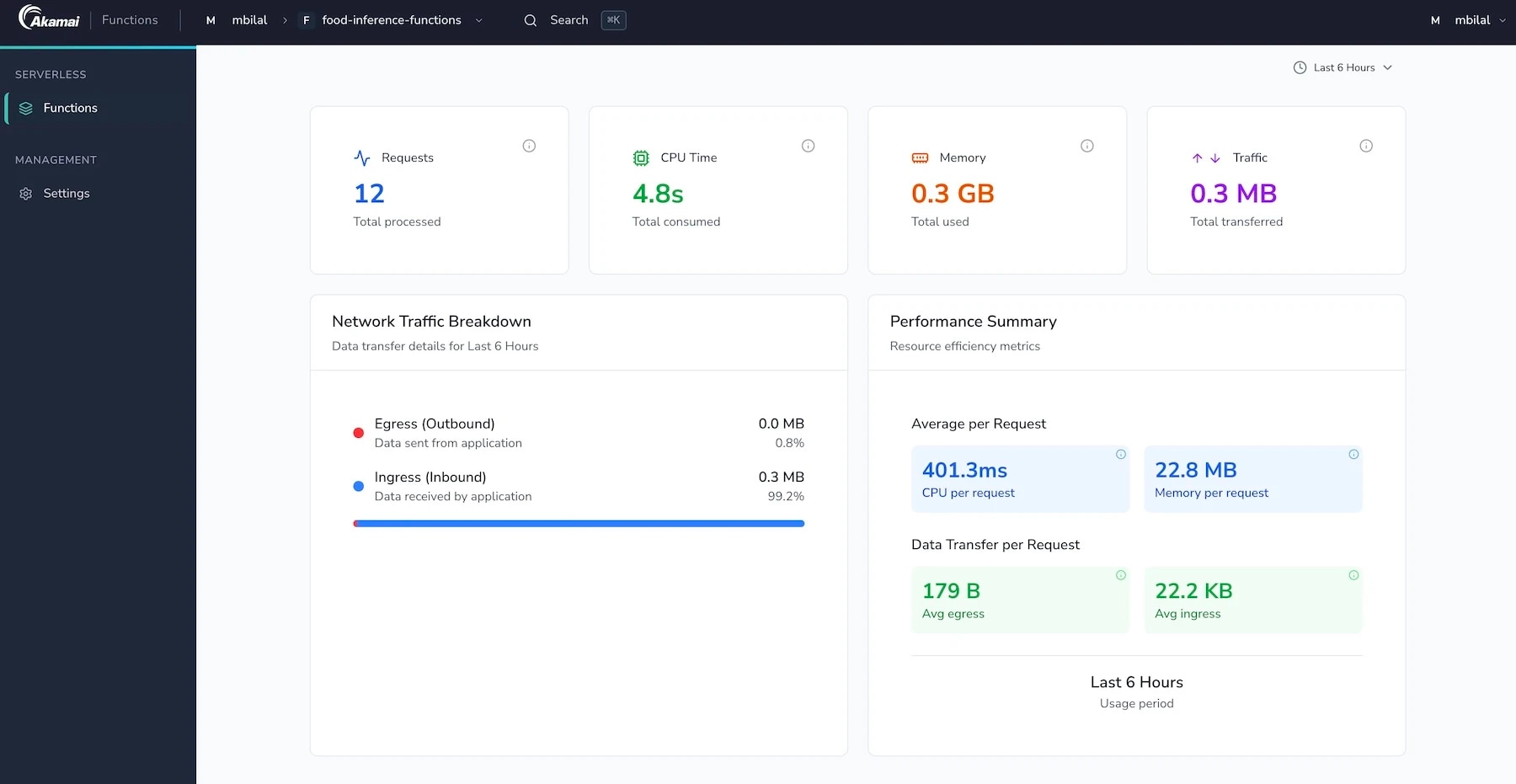
In this day and age where models are only getting bigger and bigger, I wanted to explore a lightweight model to do a very simple job: classifying a food item from an image upload. I did not want to deploy large or even medium models, even quantized ones, for this simple task. This led me on a discovery path, scanning through the internet to find a few models that are fairly small and allow you to infer food classification end-to-end on the Functions platform, even with its slightly aggressive limits (50 MB App Size, 128 MB RAM, 30 Sec CPU Time).
The model we deployed for our app is: Mobilenetv2
Model download URL: curl -L -o mobilenetv2-12.onnx “https://github.com/onnx/models/raw/main/validated/vision/classification/mobilenet/model/mobilenetv2-12.onnx?download="
Model Deployment
Install Spin
curl -fsSL https://developer.fermyon.com/downloads/fwf_install.sh | bash

sudo mv ./spin /usr/local/bin/spin
Install the Akamai plugin
spin plugin install aka
Create Spin Application
spin new -t http-rust food101-inference

# Description: Food-Infer-Functions
# HTTP path: /

cd food101-inference

cargo add tract-onnx#
# Updating crates.io index
#       Adding tract-onnx v0.23.7 to dependencies
#              Features:
#              - getrandom-js
#     Updating crates.io index
#      Locking 214 packages to latest Rust 1.93 compatible versions
#       Adding spin-sdk v6.0.0 (available: v7.0.0, requires Rust 1.94)
cargo add image
#     Updating crates.io index
#       Adding image v0.25.10 to dependencies
#              Features:
#              + avif
#              + bmp
#              + dds
#              + default-formats
#              + exr
#              + ff
#              + gif
#              + hdr
#              + ico
#              + jpeg
#              + png
#             + pnm
#              + qoi
#             + rayon
#             + tga
#              + tiff
#             + webp
#              - avif-native
#              - benchmarks
#              - color_quant
#              - nasm
#              - serde
#     Updating crates.io index
#      Locking 67 packages to latest Rust 1.93 compatible versions
#       Adding aligned v0.4.3
#       Adding aligned-vec v0.6.4
#       Adding arbitrary v1.4.2
#       Adding arg_enum_proc_macro v0.3.4
#       Adding as-slice v0.2.1
#       Adding av-scenechange v0.14.1
#       Adding av1-grain v0.2.5
#       Adding avif-serialize v0.8.9
#       Adding bit_field v0.10.3
#       Adding bitstream-io v4.10.0
#       Adding built v0.8.1
#       Adding bytemuck v1.25.2
#       Adding byteorder-lite v0.1.0
#       Adding color_quant v1.1.0
#       Adding equator v0.4.2
#       Adding equator-macro v0.4.2
#       Adding exr v1.74.2
#       Adding fax v0.2.7
#       Adding fdeflate v0.3.7
#       Adding getrandom v0.3.4
#       Adding gif v0.14.2
#       Adding image v0.25.10
#       Adding image-webp v0.2.4
#       Adding imgref v1.12.3
#       Adding interpolate_name v0.2.4
#       Adding jobserver v0.1.35
#       Adding lebe v0.5.3
#       Adding libfuzzer-sys v0.4.13
#       Adding loop9 v0.1.5
#       Adding maybe-rayon v0.1.1
#       Adding miniz_oxide v0.8.9
#       Adding moxcms v0.8.1
#       Adding new_debug_unreachable v1.0.6
#       Adding no_std_io2 v0.9.4
#       Adding noop_proc_macro v0.3.0
#       Adding num-derive v0.4.2
#       Adding paste v1.0.15
#       Adding pastey v0.1.1
#       Adding png v0.18.1
#       Adding ppv-lite86 v0.2.21
#      Adding profiling v1.0.18
#       Adding profiling-procmacros v1.0.18
#       Adding pulp v0.22.3
#       Adding pulp-wasm-simd-flag v0.1.1
#       Adding pxfm v0.1.30
#       Adding qoi v0.4.1
#       Adding quick-error v2.0.1
#       Adding r-efi v5.3.0
#       Adding rand v0.9.5
#       Adding rand_chacha v0.9.0
#       Adding rand_core v0.9.5
#       Adding rav1e v0.8.1
#       Adding ravif v0.13.0
#       Adding raw-cpuid v11.6.0
#       Adding reborrow v0.5.5
#       Adding rgb v0.8.53
#       Adding simd_helpers v0.1.0
#       Adding stable_deref_trait v1.2.1
#       Adding tiff v0.11.3
#       Adding v_frame v0.3.9
#       Adding version_check v0.9.5
#       Adding wasip2 v1.0.4+wasi-0.2.12
#       Adding weezl v0.1.12
#       Adding y4m v0.8.0
#       Adding zune-core v0.5.3
#       Adding zune-inflate v0.2.54
#       Adding zune-jpeg v0.5.15#

rustup target add wasm32-wasip1
Let us add a static Frontend
spin add -t static-fileserver

# Enter a name for your new component: frontend
# HTTP path: /
# Directory containing the files to serve: assets
mkdir -p assets
touch assets/index.html
Model Download
curl -L -o mobilenetv2-12.onnx "https://github.com/onnx/models/raw/main/validated/vision/classification/mobilenet/model/mobilenetv2-12.onnx?download="
Static HTML (assets/index.html)
<!DOCTYPE html>
<html lang="en">
<head>
    <meta charset="UTF-8">
    <meta name="viewport" content="width=device-width, initial-scale=1.0">
    <title>Food101 Classifier</title>
    <style>
        body { font-family: system-ui, sans-serif; text-align: center; padding: 40px; background: #f9fafb; }
        .container { max-width: 500px; margin: auto; background: white; padding: 30px; border-radius: 12px; box-shadow: 0 4px 6px rgba(0,0,0,0.1); }
        #preview { max-width: 100%; max-height: 300px; margin: 20px auto; display: none; border-radius: 8px; }
        button { padding: 12px 24px; font-size: 16px; cursor: pointer; background: #0ea5e9; color: white; border: none; border-radius: 6px; transition: background 0.2s; }
        button:hover { background: #0284c7; }
        button:disabled { background: #94a3b8; cursor: not-allowed; }
        #result { margin-top: 20px; font-size: 1.2em; font-weight: bold; color: #1e293b; }
    </style>
</head>
<body>

<div class="container">
    <h1>Food Classifier</h1>
    <p>Upload a food image to run MobileNetV2 inference at the Edge.</p>

    <input type="file" id="imageInput" accept="image/jpeg, image/png" onchange="previewImage(event)" />
    <br>
    <img id="preview" alt="Image preview" />
    <br><br>

    <button id="submitBtn" onclick="uploadImage()">Classify Image</button>

    <div id="result"></div>
</div>

<script>
    // Show a preview of the selected image
    function previewImage(event) {
        const reader = new FileReader();
        reader.onload = function() {
            const output = document.getElementById('preview');
            output.src = reader.result;
            output.style.display = 'block';
            document.getElementById('result').innerText = ""; // Clear previous results
        };
        if(event.target.files[0]) {
            reader.readAsDataURL(event.target.files[0]);
        }
    }

    // Send the image to the Spin Rust backend
    async function uploadImage() {
        const fileInput = document.getElementById('imageInput');
        const resultDiv = document.getElementById('result');
        const btn = document.getElementById('submitBtn');

        if (!fileInput.files.length) {
            resultDiv.innerText = "⚠️ Please select an image first.";
            return;
        }

        const file = fileInput.files[0];
        resultDiv.innerText = "Analyzing image... ⏳";
        btn.disabled = true;

        try {
            // Send the raw binary file to our Rust /infer endpoint
            const response = await fetch('/infer', {
                method: 'POST',
                body: file,
                headers: {
                    'Content-Type': file.type
                }
            });

            if (!response.ok) throw new Error(`HTTP Error: ${response.status}`);

            const data = await response.json();
            resultDiv.innerHTML = `✅ <strong>Prediction:</strong> ${data.prediction} <br> 📊 <strong>Confidence:</strong> ${(data.confidence * 100).toFixed(2)}%`;
        } catch (err) {
            resultDiv.innerText = "❌ Error: " + err.message;
        } finally {
            btn.disabled = false;
        }
    }
</script>

</body>
</html>
The Spin Manifest
spin_manifest_version = 2

[application]
name = "food101-inference"
version = "0.1.0"
authors = ["mbilal"]
description = "MobileNetV2 Edge Inference"

[[trigger.http]]
route = "/infer"
component = "food101-inference"

[component.food101-inference]
source = "target/wasm32-wasip1/release/food101_inference.wasm"
files = ["mobilenetv2-12.onnx"]

[component.food101-inference.build]
command = "cargo build --target wasm32-wasip1 --release"
watch = ["src/**/*.rs", "Cargo.toml"]

[[trigger.http]]
route = "/..."
component = "frontend"

[component.frontend]
source = { url = "https://github.com/fermyon/spin-fileserver/releases/download/v0.3.0/spin_static_fs.wasm", digest = "sha256:ef88708817e107bf49985c7cefe4dd1f199bf26f6727819183d5c996baa3d148" }
files = [{ source = "assets", destination = "/" }]
Implement the Inference Logic src/lib.rs
use spin_sdk::http::{IntoResponse, Request, Response};
use spin_sdk::http_component;
use std::sync::OnceLock;
use tract_onnx::prelude::*;

static MODEL: OnceLock<anyhow::Result<Box<dyn Runnable>>> = OnceLock::new();

fn get_model() -> &'static anyhow::Result<Box<dyn Runnable>> {
    MODEL.get_or_init(|| {
        // Load model from mounted virtual filesystem path
        let model = tract_onnx::onnx()
            .model_for_path("mobilenetv2-12.onnx")?
            .into_typed()?
            .into_runnable()?;

        Ok(Box::new(model))
    })
}

fn lookup_food_label(class_id: usize) -> String {
    let name = match class_id {
        415 => "bakery / cupcake",
        923 => "plate",
        924 => "guacamole",
        925 => "consomme",
        926 => "hot pot / chafing dish",
        927 => "trifle / dessert",
        928 => "ice cream / icecream cone",
        929 => "ice lolly / popsicle",
        930 => "French loaf / bread",
        931 => "bagel",
        932 => "cheeseburger / beef",
        933 => "baklava",
        934 => "mashed potato",
        935 => "head cabbage",
        936 => "broccoli",
        937 => "cauliflower",
        938 => "zucchini",
        939 => "spaghetti squash",
        940 => "acorn squash",
        941 => "butternut squash",
        942 => "cucumber",
        943 => "artichoke",
        944 => "bell pepper",
        945 => "cardoon",
        946 => "mushroom",
        947 => "bolete / mushroom",
        948 => "granny smith apple",
        949 => "strawberry",
        950 => "orange",
        951 => "lemon",
        952 => "fig",
        953 => "pineapple",
        954 => "banana",
        955 => "jackfruit",
        956 => "custard apple",
        957 => "pomegranate",
        958 => "hay",
        959 => "carbonara",
        960 => "chocolate sauce",
        961 => "dough",
        962 => "meat loaf / roasted meat",
        963 => "pizza",
        964 => "potpie",
        965 => "burrito",
        966 => "red wine",
        967 => "espresso",
        968 => "cup",
        969 => "eggnog",
        _ => return format!("ImageNet Item {}", class_id),
    };
    name.to_string()
}

#[http_component]
fn handle_inference(req: Request) -> anyhow::Result<impl IntoResponse> {
    match run_inference(req) {
        Ok(res) => Ok(res),
        Err(e) => {
            eprintln!("Inference Error: {:?}", e);
            Ok(Response::builder()
                .status(500)
                .header("Content-Type", "application/json")
                .body(format!("{{\"error\": \"{}\"}}", e.to_string().replace("\"", "\\\"")))
                .build())
        }
    }
}

fn run_inference(req: Request) -> anyhow::Result<Response> {
    let model = match get_model().as_ref() {
        Ok(m) => m,
        Err(e) => return Err(anyhow::anyhow!("Model failed to initialize: {}", e)),
    };

    let bytes = req.body();
    if bytes.is_empty() {
        return Err(anyhow::anyhow!("No image data uploaded"));
    }

    let img = image::load_from_memory(bytes)
        .map_err(|e| anyhow::anyhow!("Failed to decode image: {}", e))?
        .to_rgb8();

    // Center-Crop to Square
    let (width, height) = img.dimensions();
    let min_dim = width.min(height);
    let crop_x = (width - min_dim) / 2;
    let crop_y = (height - min_dim) / 2;
    let cropped = image::imageops::crop_imm(&img, crop_x, crop_y, min_dim, min_dim).to_image();

    // Resize to 224x224
    let resized = image::imageops::resize(&cropped, 224, 224, image::imageops::FilterType::Triangle);

    let mean = [0.485f32, 0.456f32, 0.406f32];
    let std = [0.229f32, 0.224f32, 0.225f32];
    let mut tensor_data = vec![0.0f32; 1 * 3 * 224 * 224];

    for y in 0..224 {
        for x in 0..224 {
            let pixel = resized.get_pixel(x, y);
            for c in 0..3 {
                let p_val = pixel[c] as f32 / 255.0;
                let normalized = (p_val - mean[c]) / std[c];
                let idx = c * 224 * 224 + (y as usize) * 224 + (x as usize);
                tensor_data[idx] = normalized;
            }
        }
    }

    let tensor_input = tract_onnx::prelude::tensor1(&tensor_data)
        .into_shape(&[1, 3, 224, 224])?;

    let result = model.run(tvec!(tensor_input.into()))?;

    // Softmax probabilities
    let logits = result[0].to_plain_array_view::<f32>()?;
    let max_logit = logits.iter().cloned().fold(f32::MIN, f32::max);
    let exps: Vec<f32> = logits.iter().map(|&x| (x - max_logit).exp()).collect();
    let sum_exps: f32 = exps.iter().sum();
    let probabilities: Vec<f32> = exps.iter().map(|&x| x / sum_exps).collect();

    let mut indexed_probs: Vec<(usize, f32)> = probabilities
        .iter()
        .copied()
        .enumerate()
        .collect();
    indexed_probs.sort_by(|a, b| b.1.partial_cmp(&a.1).unwrap_or(std::cmp::Ordering::Equal));

    let container_classes = [923, 968];
    let mut chosen_prediction = indexed_probs[0];

    if container_classes.contains(&chosen_prediction.0) && indexed_probs.len() > 1 {
        if indexed_probs[1].1 > 0.05 {
            chosen_prediction = indexed_probs[1];
        }
    }

    let (best_class, highest_prob) = chosen_prediction;
    let label = lookup_food_label(best_class);

    Ok(Response::builder()
        .status(200)
        .header("Content-Type", "application/json")
        .body(format!(
            "{{\"prediction\": \"{}\", \"confidence\": {:.4}}}",
            label, highest_prob
        ))
        .build())
}
Compile
rustup target add wasm32-wasip1
spin build
Deploy locally
spin build --up --listen 127.0.0.1:3000
Model Optimization & Logic Iteration
Please note I had to iterate through the model deployment as it did not offer decent results in the beginning. I googled and ran through AI tools to fix some of the model discrepancies, which made it extremely difficult to achieve good results even for very simple image uploads.
Important Steps Taken Fixed Aspect Ratio Squishing: Implemented Center-Cropping prior to tensor normalization to stop the model from misidentifying distorted shapes (like mistaking a tall ice cream cone for a mushroom).
Embedded a Targeted Food Taxonomy: Built a clean match block lookup table natively in Rust to map the correct ImageNet IDs to readable food items.
Filtered Non-Food Context Labels: Added a sorting logic to bypass background container classes (like “plate” or “cup”) if a valid food class prediction closely follows it.
The most important step, however, was quantization, as Akamai Functions’ 128 MB runtime RAM limit was being hit quite easily, resulting in HTTP 507 memory errors. The following steps helped quantize the model, reducing the file size from ~13.3 MB down to ~3.5 MB, and massively slashing runtime heap usage.
Quantize the ONNX Model to INT8
pip3 install onnxruntime onnxruntime-tools
cargo clean
pip3 install sympy
Quantization Script
from onnxruntime.quantization import quant_pre_process, quantize_dynamic, QuantType

# 1. Pre-process MobileNetV2
quant_pre_process(
    input_model_path="mobilenetv2-12.onnx",
    output_model_path="mobilenetv2-12-prep.onnx",
    skip_optimization=False,
)

# 2. Dynamic INT8 Quantization
quantize_dynamic(
    model_input="mobilenetv2-12-prep.onnx",
    model_output="mobilenetv2-12-int8.onnx",
    weight_type=QuantType.QUInt8
)

print("Successfully generated mobilenetv2-12-int8.onnx!")
Run it via python3 quantize.py
Deploy to Akamai Functions
spin aka deploy
Live Demo: https://44045e72-21cb-45fc-851b-4498ae6e0248.fwf.app/
App Code Directory Structure:
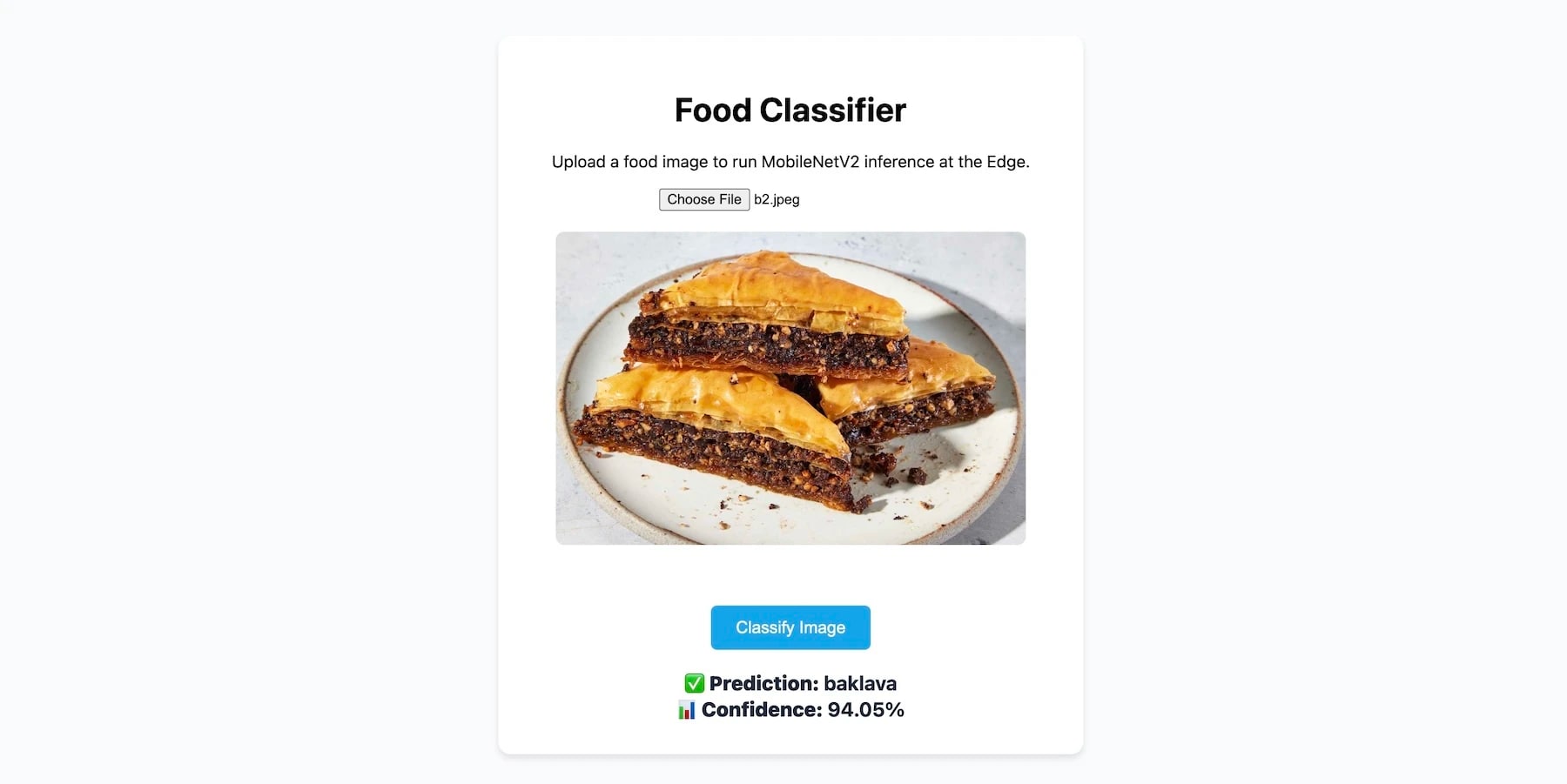
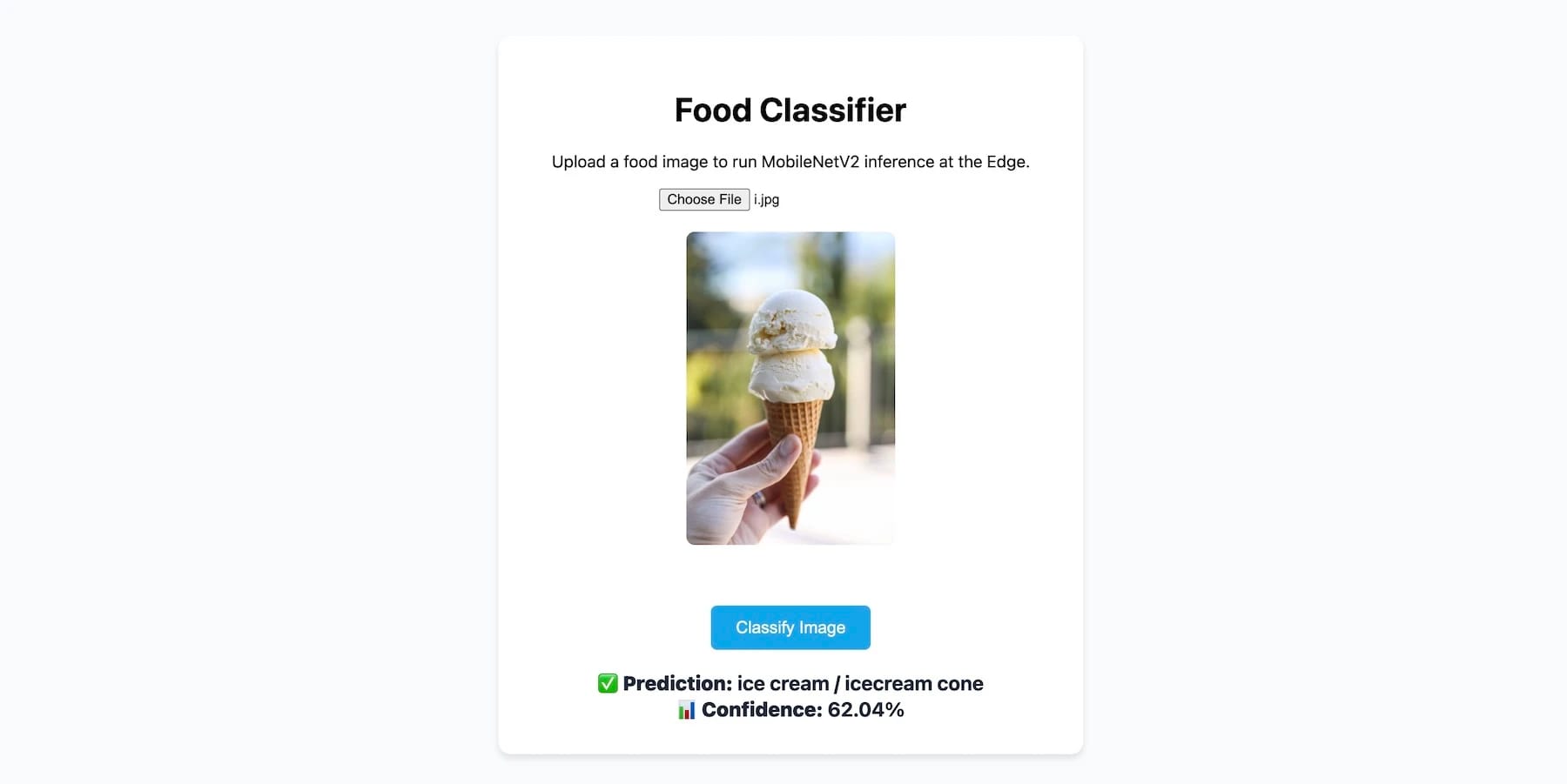
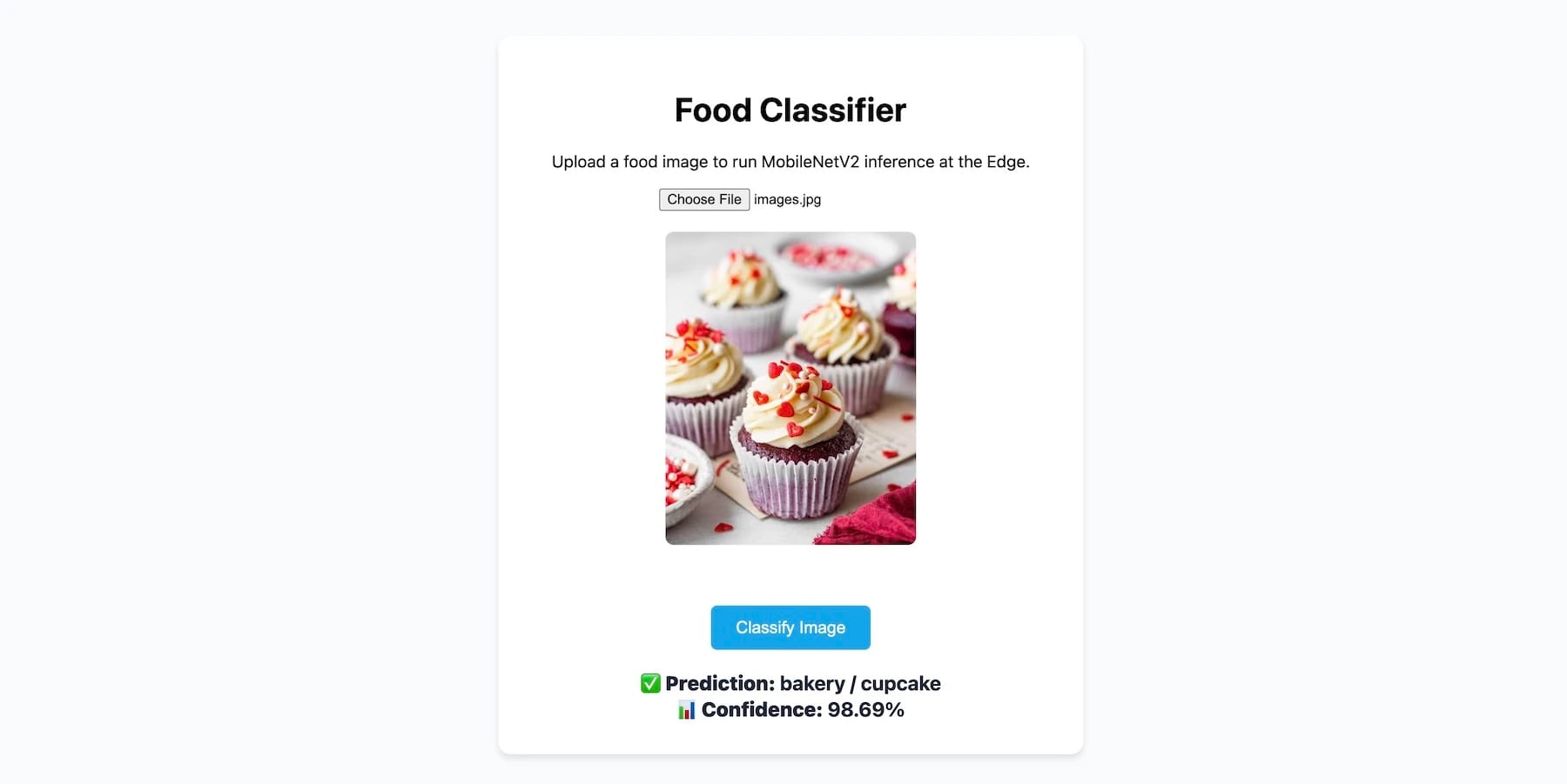
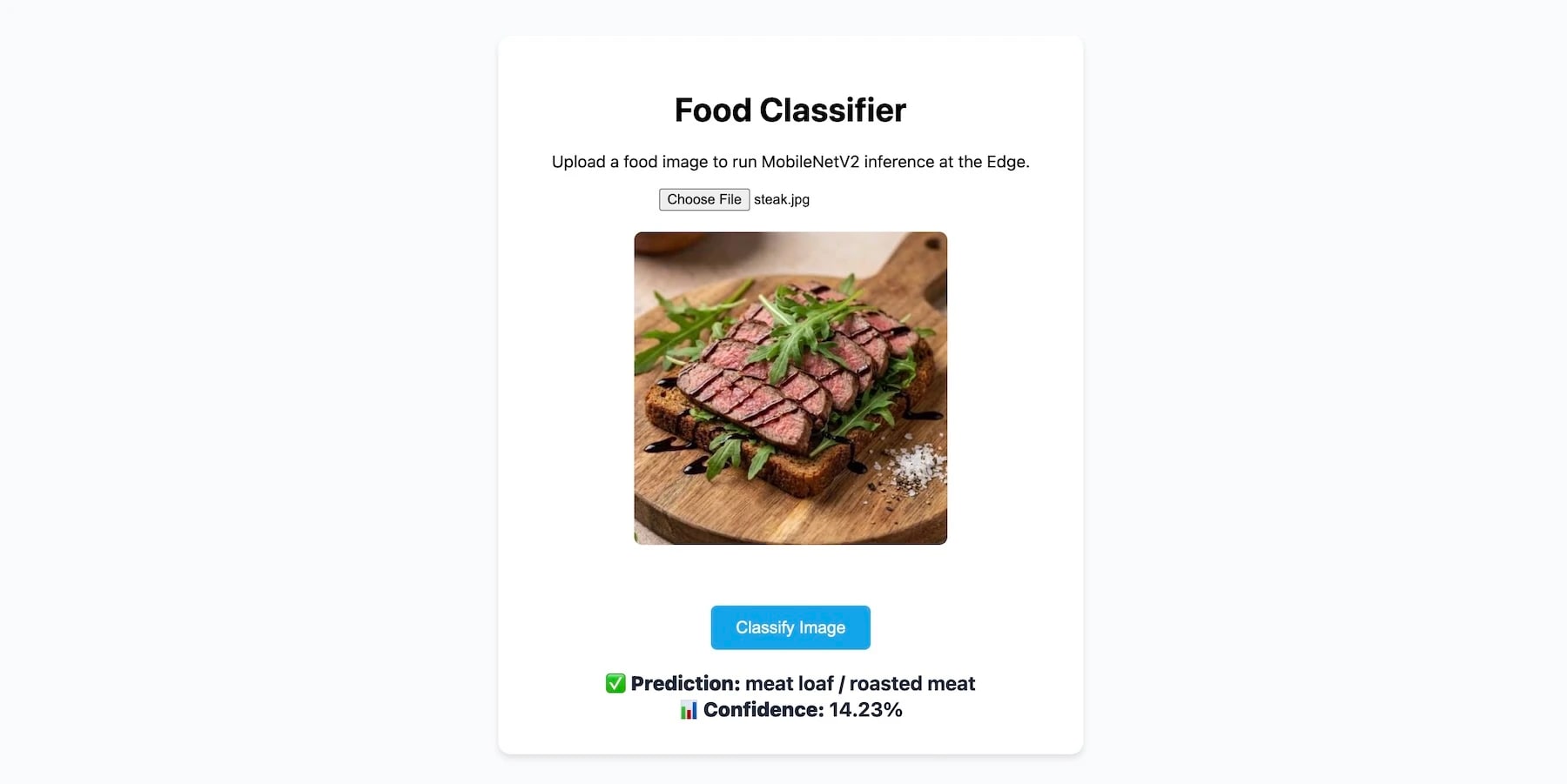
Here you go. We deployed a small vision model in its entirety on Akamai Functions to infer from. It works very, very well.